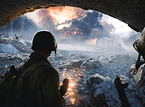
兄弟连-游戏性能设置
Shadows・ Projected - Highest level of detail, higher performance impact・ Blob - Medium level of detail, average performance impact・ Off - No Shadows, no negative impact on performance阴影: 高细节,有冲击里的表现 中等细节,表现平均 关闭,画面表现快,但是没有冲击力Reflections・ True - Highest Quality reflections on water, higher performance impact ・ Cube - Normal Quality reflections on water, normal performance impact地平线(好象是,忘记了,没过8级~~~) 真实,在水的细节上面富有质感 流畅,在水的细节上表现一般(这2个都是说关于海岸线的现象)Decals Limit・ High - Decals used for maximum effect, higher performance impact・ Medium - Normal decal usage, normal performance impact・ Low - Low usage of decals, minimal performance impact细节 高,所有细节均有最高的效果,富有冲击力的画面 中,所有细节表现一般,画面的表现力一般(适合中庸之道) 低,细节只有最小效果,画面表现最差(适合提高速度)Grass Detail・ On - Normal foliage detail with some performance impact・ Off - No foliage detail with no negative impact on performance草地细节(地面包括) 开,在某些地面(草地)上面有比较好的画面 关,在地面(草地)上没有东西(?)Soft Lighting・ On - Soft lighting with some performance impact・ Off - No soft lighting with no negative impact on performance柔和光源 开,能用柔和光源解析某些画面 关,不用柔和光源Texture Detail・ High - High resolution textures with a significant performance impact・ Low - Low resolution textures with a normal performance impact(Note: Many of the textures for Brother’s in Arms ® have high resolutions but come at a significant memory and performance cost. Select Low if your system is near the min spec and have most of the other options on high settings.)材质等级 高,启用用高解析度(分辨率)的材质 低,采用低解析度的分辨率 注意:在兄弟连中许多材质都采用了高解析度,但是将会十分消耗内存和系统资源(自己加的),假如你的系统的资源接近底线而且你在其他选项上面选了高级别的选项的话,你在这项最好选低

 2016-12-27
 来源:网络
来源:网络
 作者:梦宅猪